The Ultimate Guide to API Design & Architecture: Thinking Like a Senior Engineer
Introduction
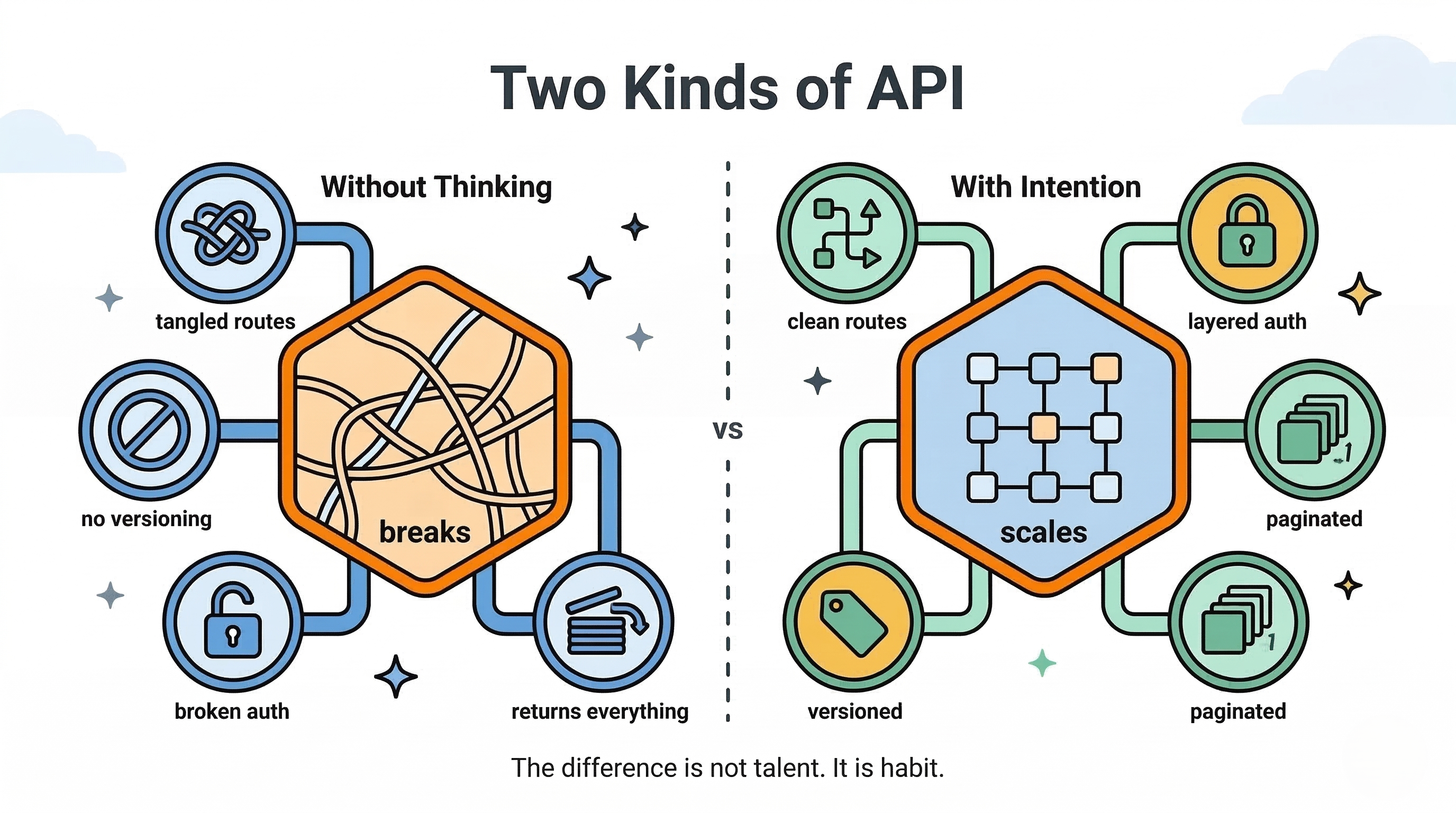
You've built a few routes. You've connected a frontend to a backend. You can get data in and out of a database. So why does your API still feel… fragile?
Here's the truth: there's a significant gap between an API that works and an API that scales, stays secure, and doesn't give your teammates headaches. Senior engineers don't just write endpoints — they design contracts. They think about what happens at 1,000 requests per second, what happens when a malicious actor probes their routes, and what happens when a mobile client needs a different data shape than the web client.
This guide consolidates everything from two deep engineering breakdowns into one complete reference. Whether you're just starting out or already writing production backends, you'll find something here that sharpens your thinking.
Here's what we'll cover:
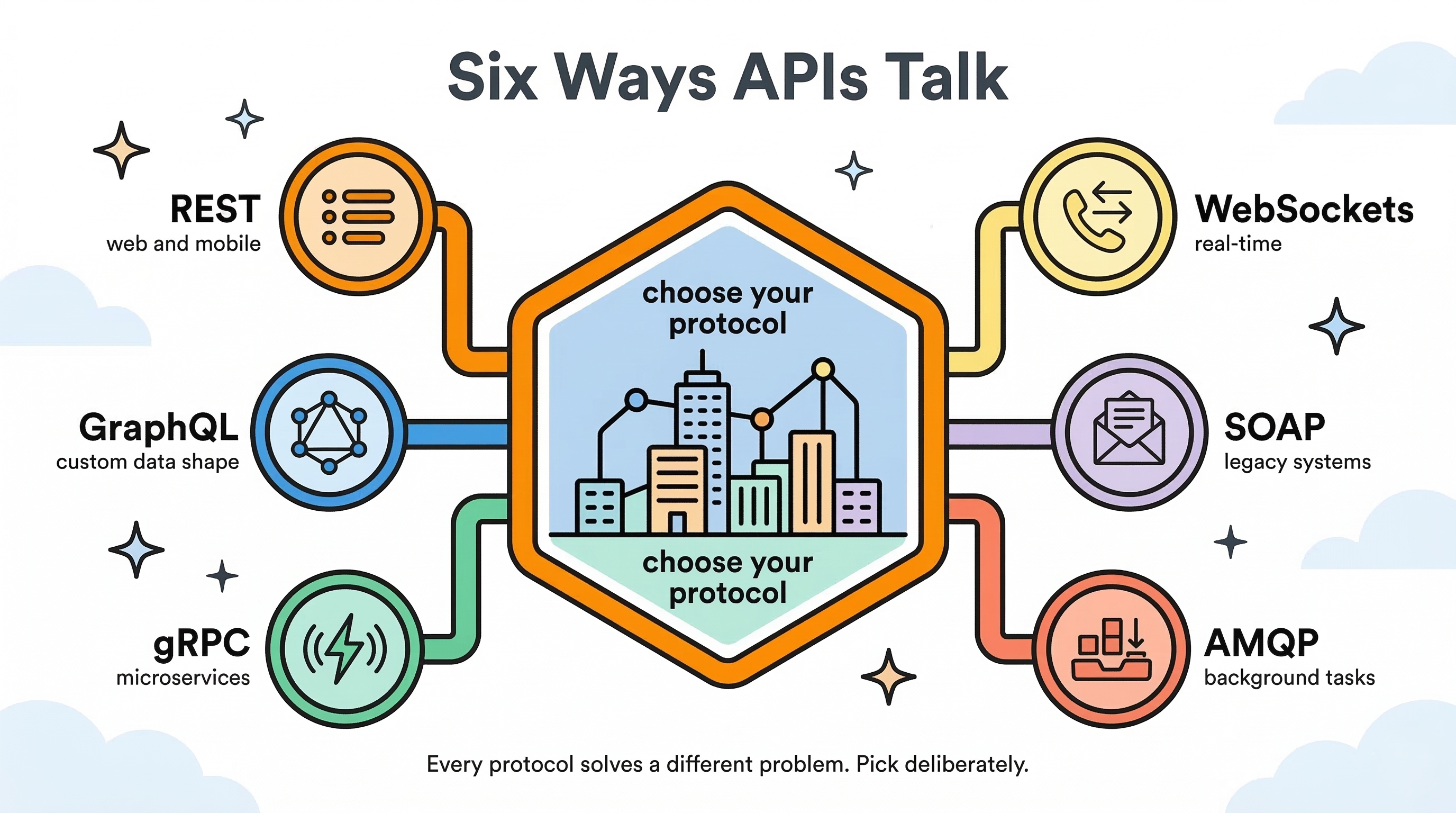
- Every major API type — REST, GraphQL, gRPC, WebSockets, SOAP, and AMQP
- HTTP methods, status codes, and how to design clean, intuitive routes
- Transport protocols (TCP vs UDP) and why they matter more than you think
- Authentication vs Authorization — and how to layer both properly
- Seven essential security protections every API needs
- Pagination, caching, versioning, and the design process itself
Let's build better APIs.
 Click to expand
Part 1: Network & Transport Protocols — The Foundation Nobody Talks About
Before any JSON leaves your server, it travels as raw packets across the internet. Understanding this layer is what separates engineers who "just write endpoints" from engineers who diagnose performance issues and design the right system for the job.
The Transport Layer: TCP vs UDP
The transport layer controls how data packets move between machines.
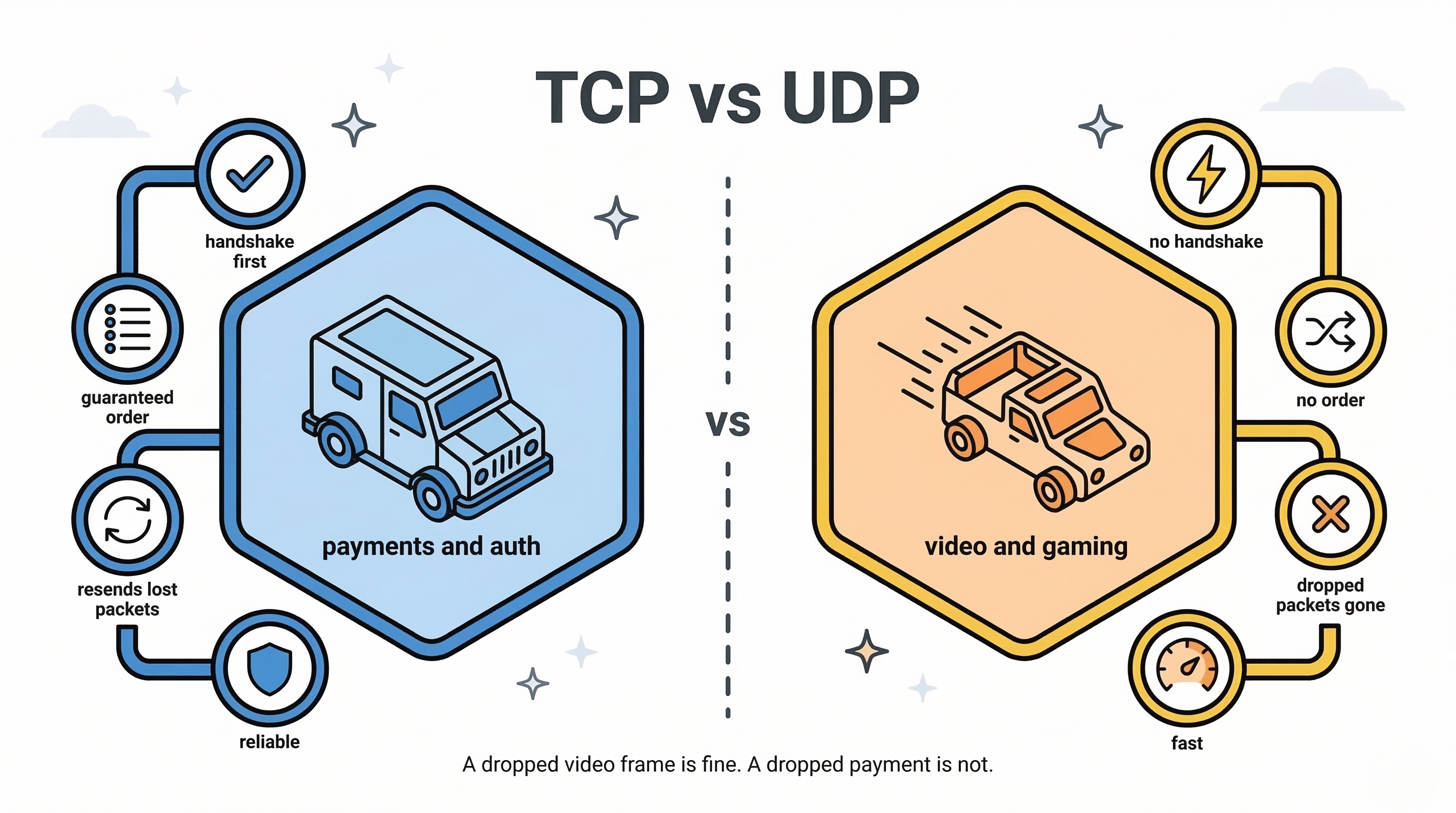
TCP (Transmission Control Protocol) is built for reliability. It uses a three-way handshake to establish a connection before sending a single byte, guarantees that all packets arrive and arrive in order, and resends anything that gets dropped.
Analogy: Sending a certified package that requires a signature. Slower, but nothing gets lost.
Best for: Payments, authentication flows, user profile data — anything where accuracy matters more than speed.
UDP (User Datagram Protocol) is built for speed. It fires packets continuously without confirming delivery or order. If a packet drops, it's gone — and that's fine.
Analogy: A live radio broadcast. If you miss a second, the station doesn't rewind for you.
Best for: Live video streaming, online gaming, VoIP calls — situations where a dropped frame is better than a frozen screen.
 Click to expand
The Application Layer: HTTP, HTTPS, and HTTP/2
Built on top of TCP, the application layer defines how your actual apps communicate:
- HTTP/HTTPS — The backbone of the web. Operates via a request/response cycle. HTTPS wraps everything in TLS/SSL encryption to protect data in transit.
- HTTP/2 — A newer version that supports multiplexing, meaning multiple data streams can flow over a single connection simultaneously. This is what gRPC runs on.
Part 2: Every API Type Explained
An API is the contract that defines how two software components interact. The type of API you choose shapes your entire system — so choose deliberately.
REST (Representational State Transfer)
What it is: REST is the industry standard for web APIs. It uses HTTP methods (GET, POST, PUT, etc.) to interact with resources — represented as URLs.
Analogy: Ordering from a restaurant menu. You pick from a fixed list, place your order, and receive exactly what the menu describes. The kitchen (your database) stays hidden from you.
How it works: REST is stateless — every request must carry all the information the server needs to process it. Responses are predictable, structurally fixed, and easy to cache.
Best used for: Standard web and mobile apps, CRUD operations, public APIs where simplicity matters.
Avoid when: Your UI needs deeply nested, custom-shaped data that would require multiple round trips to assemble.
// POST /api/v1/comments
{
    "postId": 123,
    "content": "Great article!"
}
GraphQL
What it is: A query language for your API. Instead of hitting multiple endpoints, clients send a single query describing exactly the data shape they need.
Analogy: A customizable buffet. Instead of receiving a fixed plate, you hand the chef a precise list of exactly what you want — nothing more, nothing less.
How it works: Developed by Facebook to solve two classic REST problems — overfetching (getting more data than needed) and underfetching (needing multiple requests to assemble one view). GraphQL exposes a single endpoint (usually /graphql). Data reads are called Queries; data writes are called Mutations. It uses a strictly typed schema. Importantly, GraphQL always returns a 200 OK status — errors are embedded inside an errors array in the response body.
Best used for: Complex UIs with many nested relationships, mobile apps where bandwidth is precious, teams where frontend and backend need to move independently.
Avoid when: Your API is simple and straightforward, or when you're streaming binary files.
query {
    user(id: "123") {
        name
        posts {
            title
            publishedAt
        }
    }
}
gRPC (Google Remote Procedure Call)
What it is: A high-performance, binary communication protocol built for backend-to-backend communication.
Analogy: A direct military-grade walkie-talkie channel. No interpreting long text messages — just fast, structured signals.
How it works: Uses Protocol Buffers (Protobufs) instead of JSON to serialize data into compressed binary formats. Runs on HTTP/2, allowing bidirectional streaming. Service contracts are defined in .proto files, which act as strict, version-controlled agreements between services.
Best used for: Internal microservice communication, high-throughput systems where latency matters.
Avoid when: You need browser-to-server communication directly — browsers don't handle raw HTTP/2 manipulation well.
// user.proto
message User {
  int32 id = 1;
  string name = 2;
  string email = 3;
}
WebSockets
What it is: A persistent, two-way connection between client and server.
Analogy: An open phone call. Once connected, both sides can talk and listen freely until someone hangs up — no need to redial for every message.
How it works: Begins as a standard HTTP request, then upgrades to a persistent bidirectional TCP connection. The server can push data to the client at any time without waiting for a request, eliminating the overhead of repeated HTTP polling.
Best used for: Real-time chat apps, live trading dashboards, multiplayer games, live notifications.
Avoid when: Your data doesn't change frequently and a standard request/response pattern is sufficient.
SOAP (Simple Object Access Protocol)
What it is: A legacy XML-based protocol with strict contracts and standardized formatting.
Analogy: Sending certified legal mail. Loads of required paperwork and strict envelopes, but nothing falls through the cracks.
How it works: Relies on XML for all messages and uses WSDL (Web Services Description Language) files to define the service contract. Much heavier and more verbose than REST.
Best used for: Legacy enterprise systems, banking and financial integrations, healthcare data exchanges where strict standards are mandated.
Avoid when: Building any modern web or mobile application.
AMQP (Advanced Message Queuing Protocol)
What it is: An asynchronous messaging protocol designed for high-load background tasks.
Analogy: A post office sorting facility. You drop off a letter (a message), the post office holds it in a queue, and the mail carrier (a consumer service) delivers it when ready. Nobody waits around.
How it works: Involves three roles — a Producer (sends messages), a Message Broker/Queue (holds messages, tools like RabbitMQ or Amazon SQS), and a Consumer (processes messages). Decouples systems so traffic spikes don't crash your entire backend.
Best used for: Sending emails, processing orders, running background jobs — any task where the user doesn't need an instant response.
Avoid when: The user is actively waiting for synchronous feedback.
 Click to expand
Part 3: Designing Clean API Routes
A well-designed API is one a developer can use intuitively without reading a single page of documentation. Consistency is your gift to the people who consume your work.
Use Nouns, Never Verbs
Your URLs represent resources (things), not actions. HTTP methods (GET, POST, DELETE) handle the actions.
| ❌ Anti-Pattern | ✅ Best Practice |
|---|---|
GET /getProducts | GET /products |
POST /createUser | POST /users |
GET /deleteUser?id=5 | DELETE /users/5 |
HTTP Methods & Idempotency
An operation is idempotent if running it 100 times produces the same result as running it once. This matters enormously for retry logic in distributed systems.
| Method | Purpose | Idempotent? |
|---|---|---|
| GET | Read data | Yes |
| POST | Create new data | No — clicking submit twice creates two records |
| PUT | Fully replace a resource | Yes |
| PATCH | Partially update a resource | Generally yes |
| DELETE | Remove a resource | Yes |
Where Should Your Data Go?
There are three places to pass data in an HTTP request — and each has a specific purpose:
- URL path (
/users/123) — Use to identify a specific resource. - Query parameters (
/products?category=shoes&limit=10) — Use for filtering, sorting, and pagination. - Request body (JSON payload) — Use for complex or sensitive data.
⚠️ Common Mistake: Passing passwords in query parameters (
/login?user=alice&pass=hunter2). This exposes credentials in browser history and server logs.✅ Always send sensitive data in the request body over HTTPS.
Nested Routes vs Flat Filtering
When a resource belongs to another resource (like comments on a post), you have two valid approaches:
# Nested — good when data is tightly coupled
GET /posts/123/comments

# Flat filtering — better for complex, cross-referenced data
GET /comments?postId=123&sort=asc
Neither is always right. Choose based on how tightly the data relationship is tied to your access patterns.
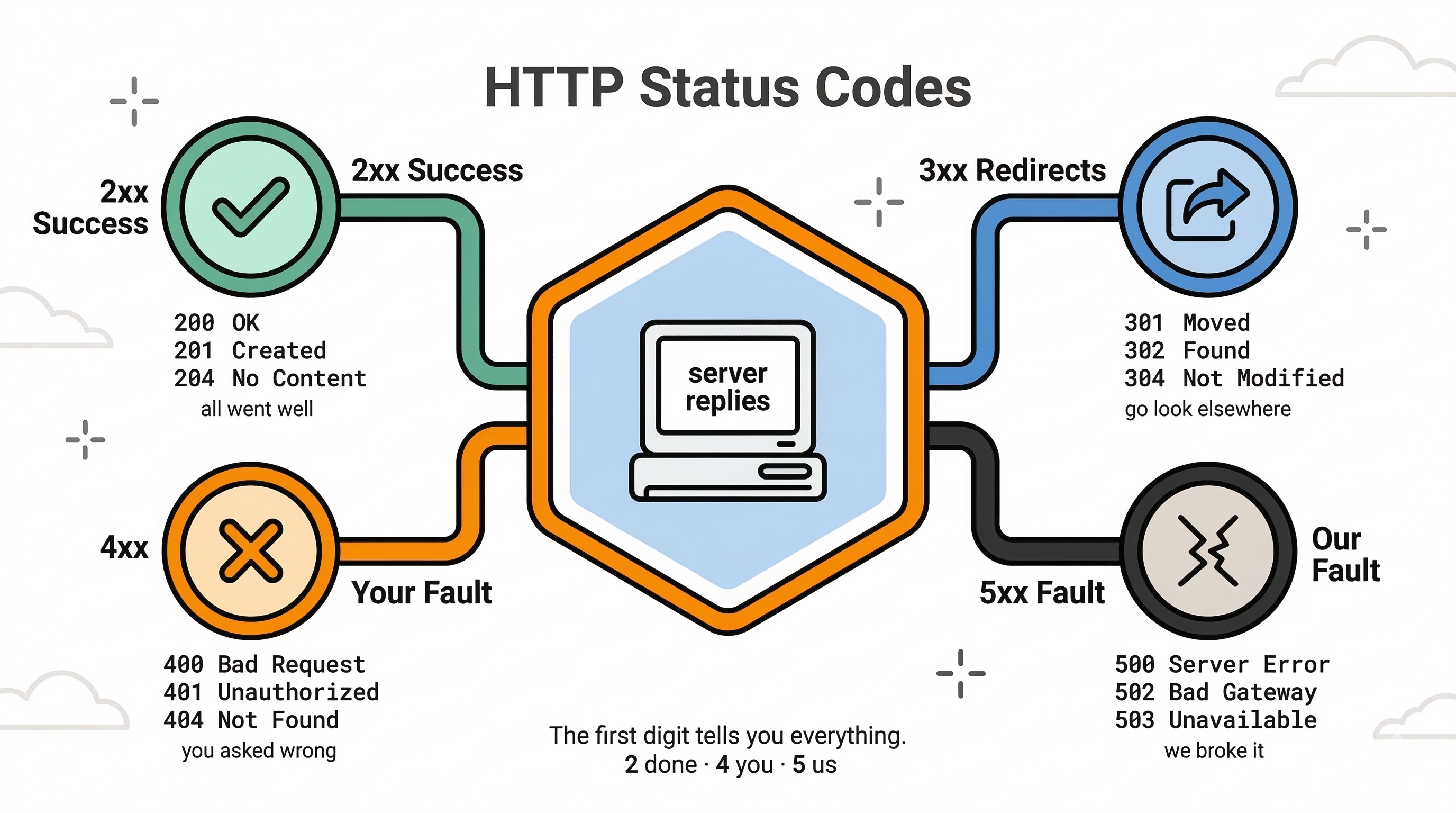
HTTP Status Codes — Use Them Correctly
Don't return 200 OK for everything. Status codes are part of your API's communication.
| Range | Meaning | Common Codes |
|---|---|---|
| 2xx | Success | 200 OK, 201 Created, 204 No Content |
| 3xx | Redirects | Resource has moved |
| 4xx | Client error (you messed up) | 400 Bad Request, 401 Unauthorized, 404 Not Found |
| 5xx | Server error (we messed up) | 500 Internal Server Error |
 Click to expand
Part 4: Security — Locking Every Door
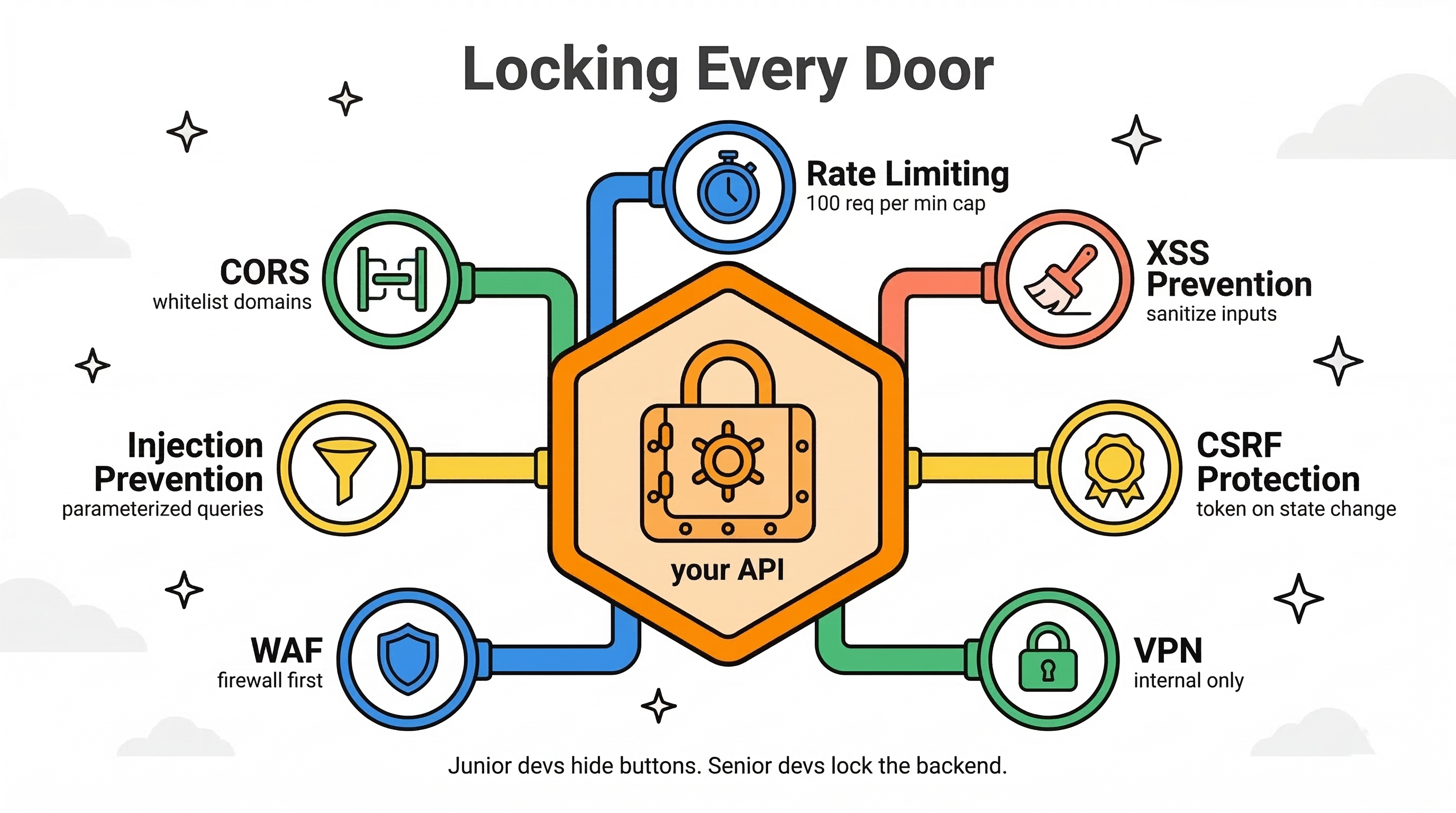
Your API is the direct entrance to your database. Junior developers leave the front door unlocked and rely on the frontend to hide buttons. Senior developers layer security so deeply that even if one layer fails, the system still holds.
Authentication vs Authorization — Know the Difference
- Authentication (AuthN): Who are you? — Verifying your identity (checking your ID at the door).
- Authorization (AuthZ): What are you allowed to do? — Checking what you're permitted to access once inside (your VIP pass level).
These are separate concerns and must be handled separately.
Authentication Methods
Basic Auth — Encodes username:password in Base64 and attaches it to the request header. Easily decoded. Only ever acceptable over HTTPS, and even then rarely used in modern systems.
Bearer Tokens — A signed token sent in the Authorization: Bearer <token> header. Fast and stateless.
JWT (JSON Web Tokens) — A cryptographically signed payload containing "claims" (user ID, role, expiration time). Because it's signed, the server verifies it without touching the database on every request.
Access + Refresh Token Pattern — Access tokens are short-lived (15 minutes) for making API calls. Refresh tokens are long-lived and stored securely server-side, used to silently renew expired access tokens without logging the user out.
SSO & OAuth 2.0 — Single sign-on via Google, GitHub, etc. Legacy enterprise systems use SAML (XML-based). Modern apps use OAuth 2.0 / OIDC (JSON-based delegated authorization).
Authorization Models
RBAC (Role-Based Access Control) — Users are assigned roles (Admin, Editor, Viewer). Simple and widely used.
ABAC (Attribute-Based Access Control) — Access is determined by evaluating environmental attributes. For example: "Allow access only if Department = HR AND time is before 5:00 PM."
ACL (Access Control Lists) — Resource-level rules. Think Google Drive — Alice has Read access to a document, Bob has Edit access, and Charlie has no access at all.
The 7 Security Protections Every API Needs
-
Rate Limiting — Cap requests per IP or user (e.g., 100 req/min). Prevents DDoS attacks and brute-force login attempts.
-
CORS (Cross-Origin Resource Sharing) — Whitelist only the frontend domains that are allowed to call your backend.
-
SQL/NoSQL Injection Prevention — Never concatenate user input into database queries. Always use parameterized queries or an ORM.
-
WAF (Web Application Firewall) — Sits in front of your API, automatically blocking suspicious request patterns before they reach your code.
-
VPN Restrictions — Internal employee-only APIs should never be exposed on the public internet. Restrict access to company networks via VPN.
-
CSRF (Cross-Site Request Forgery) Protection — Prevents malicious sites from tricking a user's browser into executing actions using their active session cookie. Fix: CSRF tokens.
-
XSS (Cross-Site Scripting) Prevention — Prevents attackers from injecting malicious JavaScript into your database (e.g., via a comment field) that then executes in other users' browsers. Fix: always sanitize user input.
⚠️ Common Mistake: Relying on the frontend to hide UI elements as your only authorization mechanism.
✅ Backend endpoints must validate permissions independently on every request.
 Click to expand
Part 5: Performance, Scaling & The Design Process
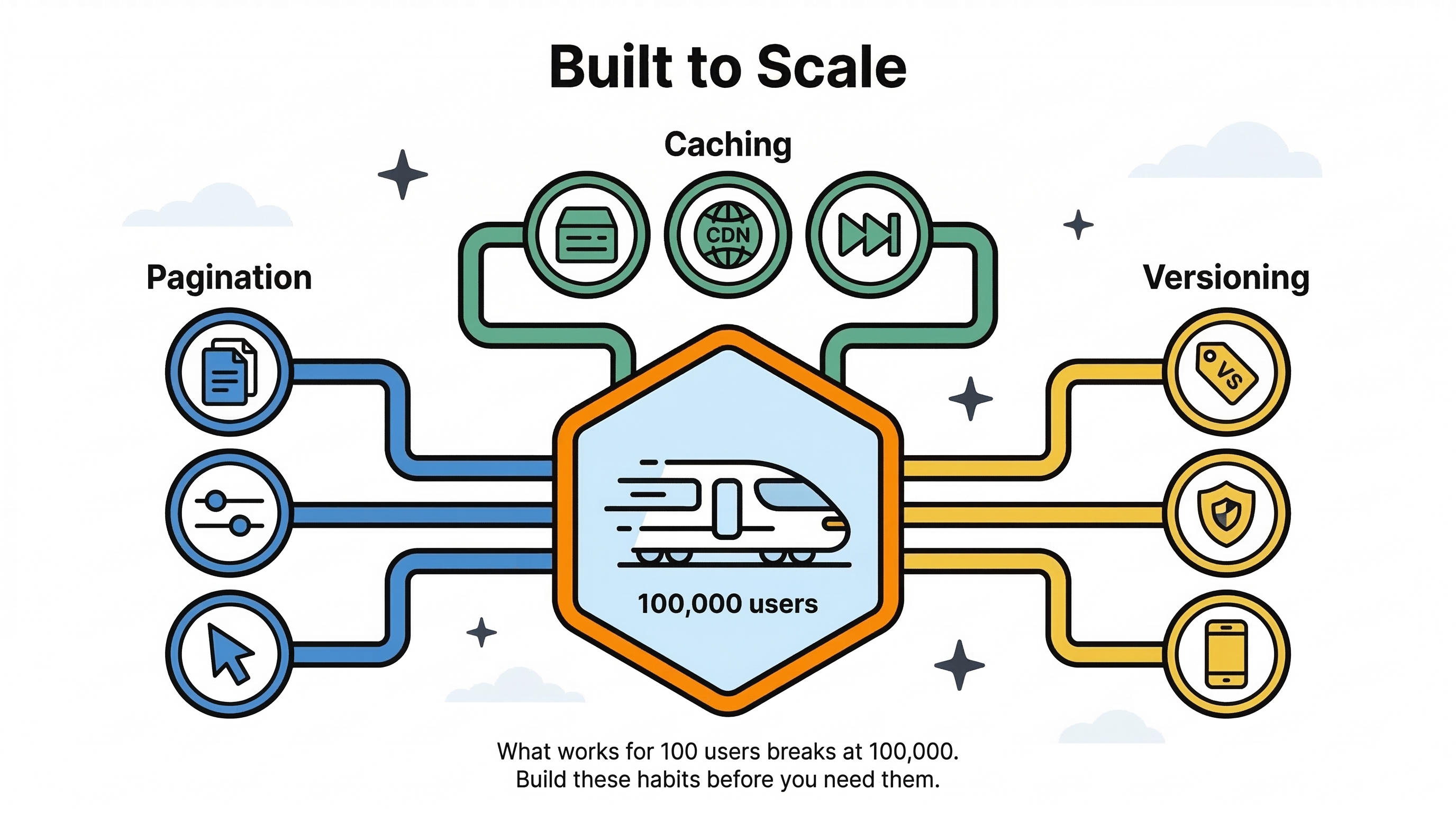
Building an API that works for 100 users is completely different from building one that works for 100,000. These patterns are what keep your system standing under load.
Pagination — Never Return Everything at Once
Returning 10,000 records in a single response will slow your server, crush your bandwidth, and eventually crash something.
Always implement pagination via query parameters:
GET /products?page=2&limit=20
GET /comments?offset=40&limit=20
GET /feed?cursor=abc123&limit=20  ← cursor-based (fastest for large datasets)
Caching
Use HTTP cache headers like Cache-Control to tell clients and CDNs how long they can reuse a response. This dramatically reduces database load for frequently-requested, rarely-changing data.
API Versioning
Always version your API from day one:
/api/v1/users
/api/v2/users  ← introduce breaking changes here, don't break v1
When you make a breaking change, bump the version. Existing mobile clients on v1 keep working. This is especially critical because mobile apps can't force-update users overnight.
Design Approaches
How you start designing an API shapes everything that follows:
- Top-Down — Start with high-level business requirements and user workflows, then define your endpoints. Common in system design interviews and greenfield projects.
- Bottom-Up — Build the API based on the shape of your existing database models. Fast, but can leak your data structure into your public interface.
- Contract-First — Define strict JSON input/output schemas before writing any code. Lets frontend and backend teams build in parallel without blockers.
 Click to expand
Part 6: Putting It All Together — The Two Halves of the Senior Brain
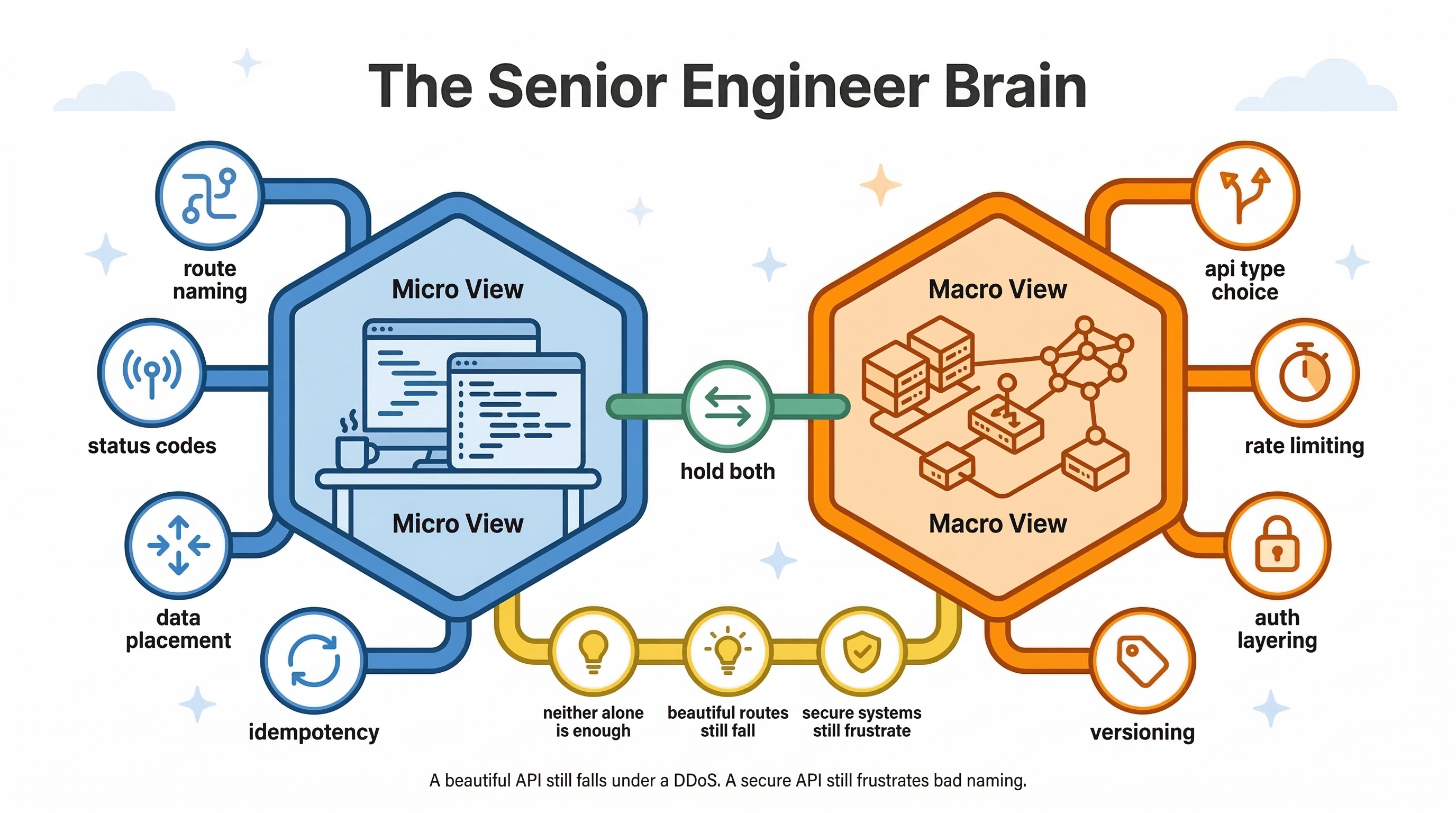
The Micro View is about the details that make your API a pleasure to consume. Which naming convention should you use? Should comments live at /posts/123/comments or /comments?postId=123? Is this operation idempotent? Does this field belong in the path, query string, or body? Getting these decisions right creates an API that developers can intuitively navigate without documentation.
The Macro View is about the systems that keep your API alive under real-world conditions. Do you need REST, or would GraphQL eliminate expensive over-fetching? Should this communication happen over HTTP at all, or would WebSockets or AMQP be more appropriate? Is rate limiting active? Is the WAF deployed? What's the refresh token strategy?
Neither view is more important than the other. A beautifully designed REST API will still collapse under a DDoS attack without rate limiting. A perfectly secured system will still frustrate every developer who touches it if the route naming is inconsistent.
The senior engineer holds both views simultaneously.
 Click to expand
Quick Reference Cheat Sheet
API Types at a Glance
| Type | Transport | Data Format | Best Use Case |
|---|---|---|---|
| REST | HTTP | JSON | Standard web/mobile apps |
| GraphQL | HTTP | JSON | Complex, nested UIs |
| gRPC | HTTP/2 | Protobuf (binary) | Internal microservices |
| WebSockets | TCP | Any | Real-time, bidirectional |
| SOAP | HTTP | XML | Legacy enterprise systems |
| AMQP | TCP | Any | Async background tasks |
HTTP Methods Quick Reference
| Method | Action | Idempotent? |
|---|---|---|
| GET | Read | Yes |
| POST | Create | No |
| PUT | Replace | Yes |
| PATCH | Partial update | Generally yes |
| DELETE | Remove | Yes |
Security Checklist
- Rate limiting active on all public endpoints
- CORS whitelist configured
- All inputs parameterized (no raw SQL)
- JWT with short-lived access tokens + refresh token flow
- RBAC or ABAC enforced on the backend (not just UI)
- HTTPS everywhere
- User input sanitized (XSS prevention)
- CSRF tokens on state-changing requests
Key Takeaways
- Use nouns for routes, HTTP methods for actions —
DELETE /users/5, not/deleteUser?id=5. - Pick the right API type for the job — REST for standard apps, GraphQL for complex data needs, gRPC for internal services, WebSockets for real-time.
- Never put sensitive data in the URL — passwords and API keys belong in the request body over HTTPS, always.
- Paginate every collection endpoint — returning raw, unbounded data will hurt your system at scale.
- Authentication and Authorization are separate concerns — verifying who someone is doesn't automatically define what they can do.
- Use the correct status codes —
201for created,204for deleted,400for bad input,401for unauthenticated,404for missing. - Version your API from day one — you will need to make breaking changes, and your users shouldn't pay for that.
- Contract-First design enables parallel development — define your schemas before writing code so teams don't block each other.
Conclusion
The jump from writing code that works to designing systems that last is largely a change in mindset. You start asking different questions. Not just "does this endpoint return the right data?" but "what happens when this endpoint receives 10,000 requests a minute from an attacker?", "what happens when the mobile client needs a different data shape?", and "what happens when we need to change this contract six months from now?"
APIs are living agreements between systems. Design them like you plan to be held accountable to them — because you will be.
Three concrete next steps:
- Audit one of your existing APIs against the REST conventions in this guide. Fix one route naming issue and add proper status codes where missing.
- Implement the access + refresh token pattern if you're still using long-lived tokens or sessions.
- Add pagination to every collection endpoint before it becomes a production problem.
Based on the engineering breakdowns by Hayk Simonyan and Caleb Curry.
Continue Reading
What Really Happens When You Click a Link
That instantaneous flash between clicking a link and seeing a webpage is actually a marathon — DNS lookups, TCP handshakes, TLS negotiations, and a full rendering pipeline, all in milliseconds.
How JavaScript Actually Works: Demystifying the Call Stack and Event Loop
The engine, the call stack, the heap, the event loop, closures, prototypes, and this — what's actually happening when your code runs.