What Really Happens When You Click a Link
Have you ever stopped to wonder what actually happens when you click a link? For most of us, "the page just loads." But underneath that simple interaction is an incredibly precise choreography involving multiple protocols, servers, and rendering engines working together.
Let's dive into the fascinating, split-second journey of a single click.
1. The Click Event
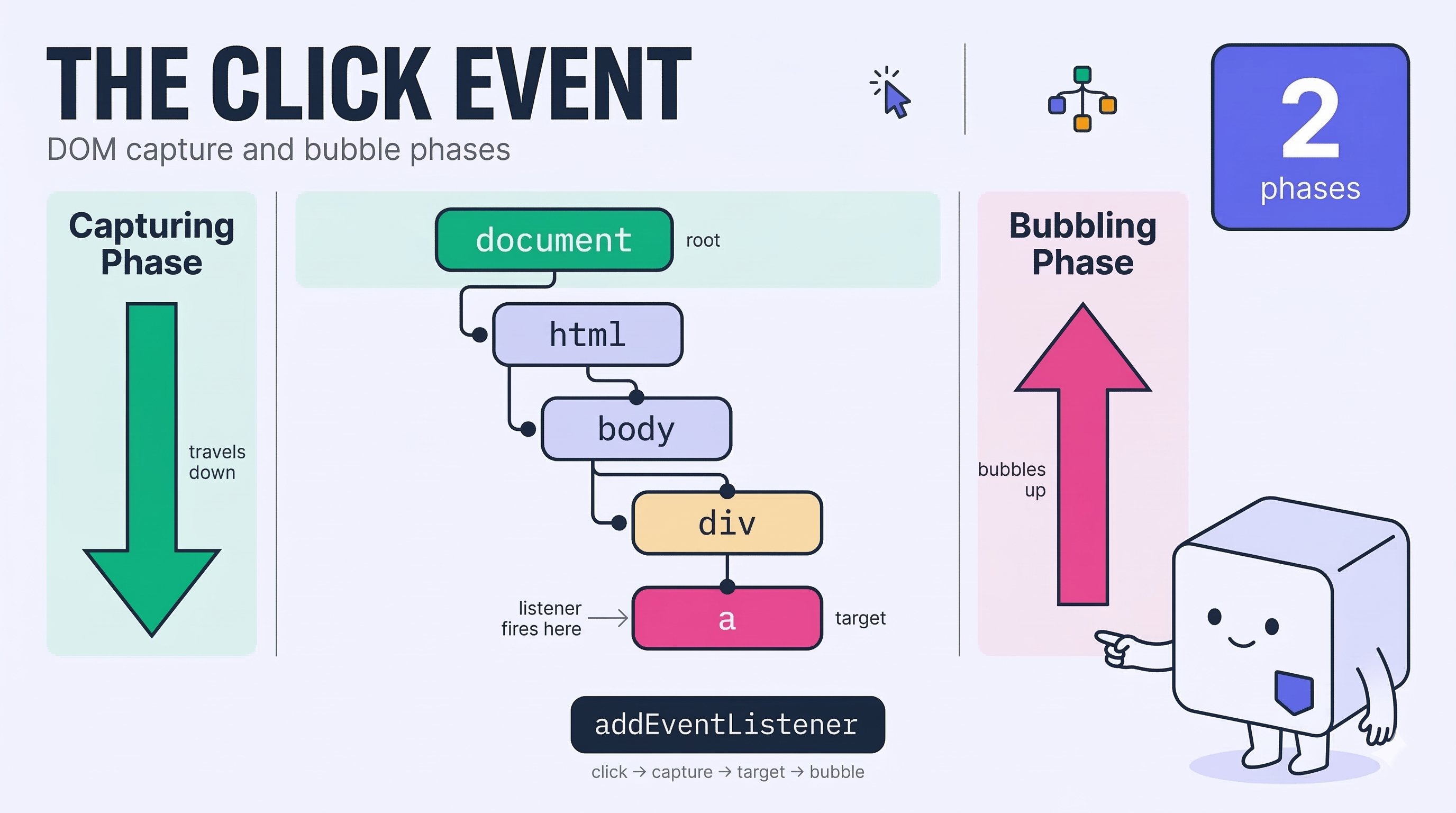
Before your request even hits the network, the journey begins right inside your browser. When you click a link, the browser's Document Object Model (DOM) captures your interaction.
- Capturing Phase: The click event starts at the root of the DOM tree and travels down to your target element.
- Bubbling Phase: Once it hits the target, the event "bubbles" back up the tree.
- Event Listeners: As the event bubbles, it triggers any JavaScript listeners attached to elements — these might intercept the click, prevent default navigation, or fire custom animations before letting the browser proceed.
 Click to expand
2. DNS Resolution
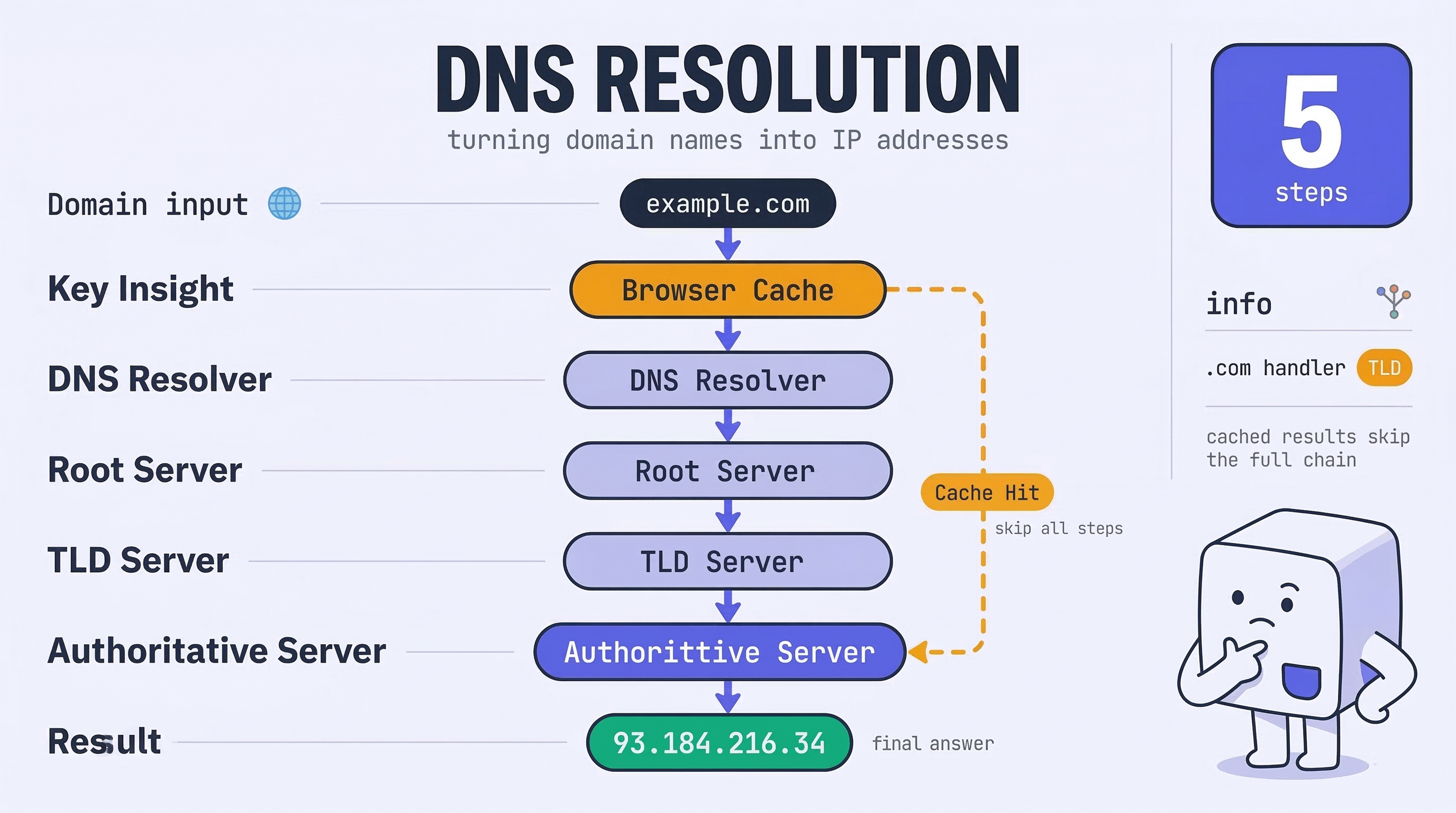
Computers communicate using numerical IP addresses (like 93.184.216.34), but humans remember domain names (like example.com). The Domain Name System (DNS) is the internet's phonebook, bridging this gap.
When you need an IP address, your browser asks a DNS Resolver — usually provided by your ISP or a public service like Google (8.8.8.8). The resolver does the heavy lifting:
- The Hierarchy: Root Server → TLD Server (
.com) → Authoritative Name Server → IP address - Caching & TTL: The result is cached based on its Time to Live (TTL), so repeat visits skip the lookup entirely.
 Click to expand
3. TCP Handshake
Once your browser has the IP address, it needs a reliable connection using the Transmission Control Protocol (TCP). TCP guarantees data is delivered in the right order without losing packets.
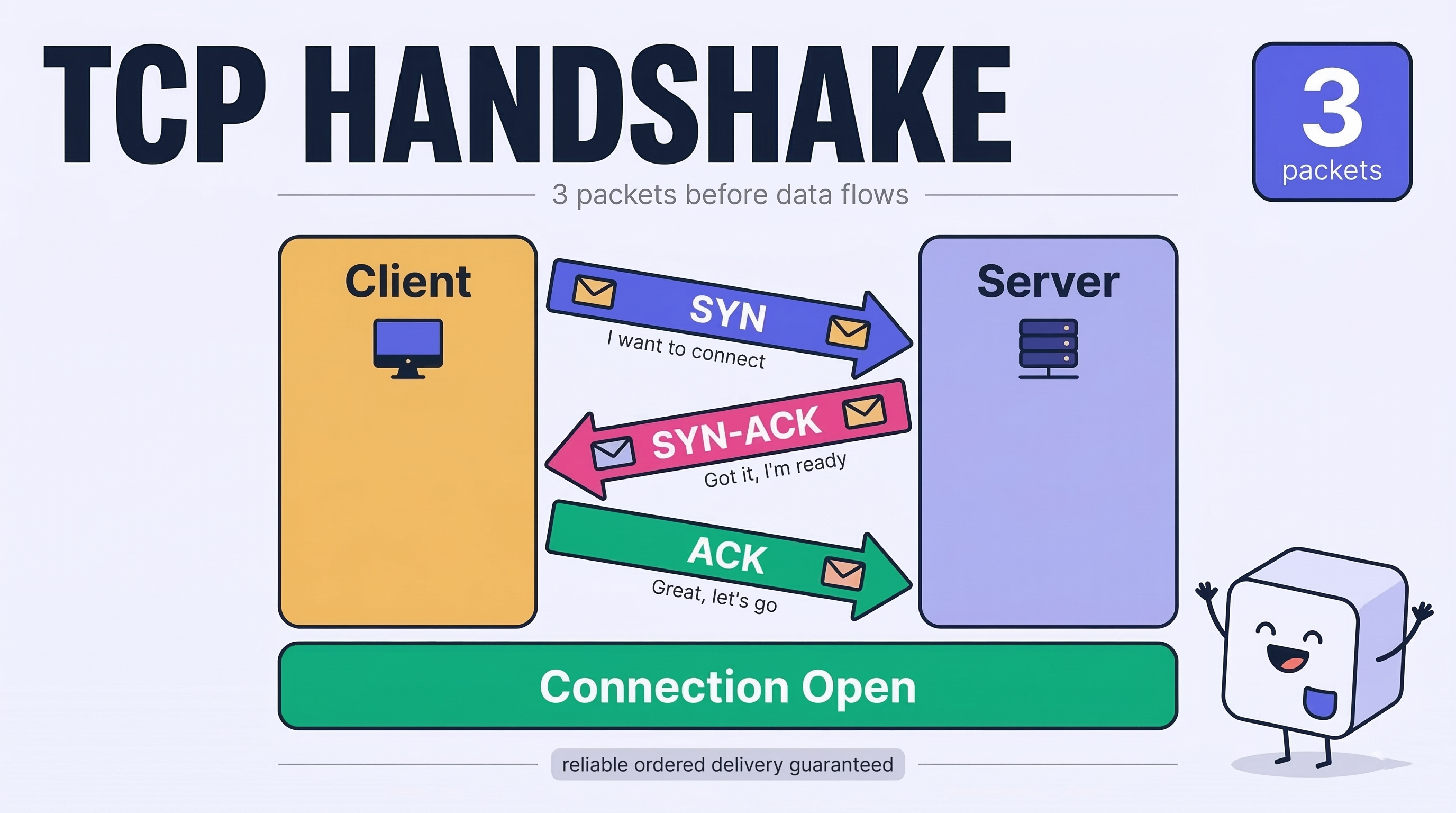
Before any data flows, TCP performs a 3-way handshake:
| Step | Who | What |
|---|---|---|
| SYN | Client → Server | "I want to connect" |
| SYN-ACK | Server → Client | "Got it, I'm ready" |
| ACK | Client → Server | "Great, let's go" |
A reliable connection is now officially open.
 Click to expand
4. TLS / HTTPS Negotiation
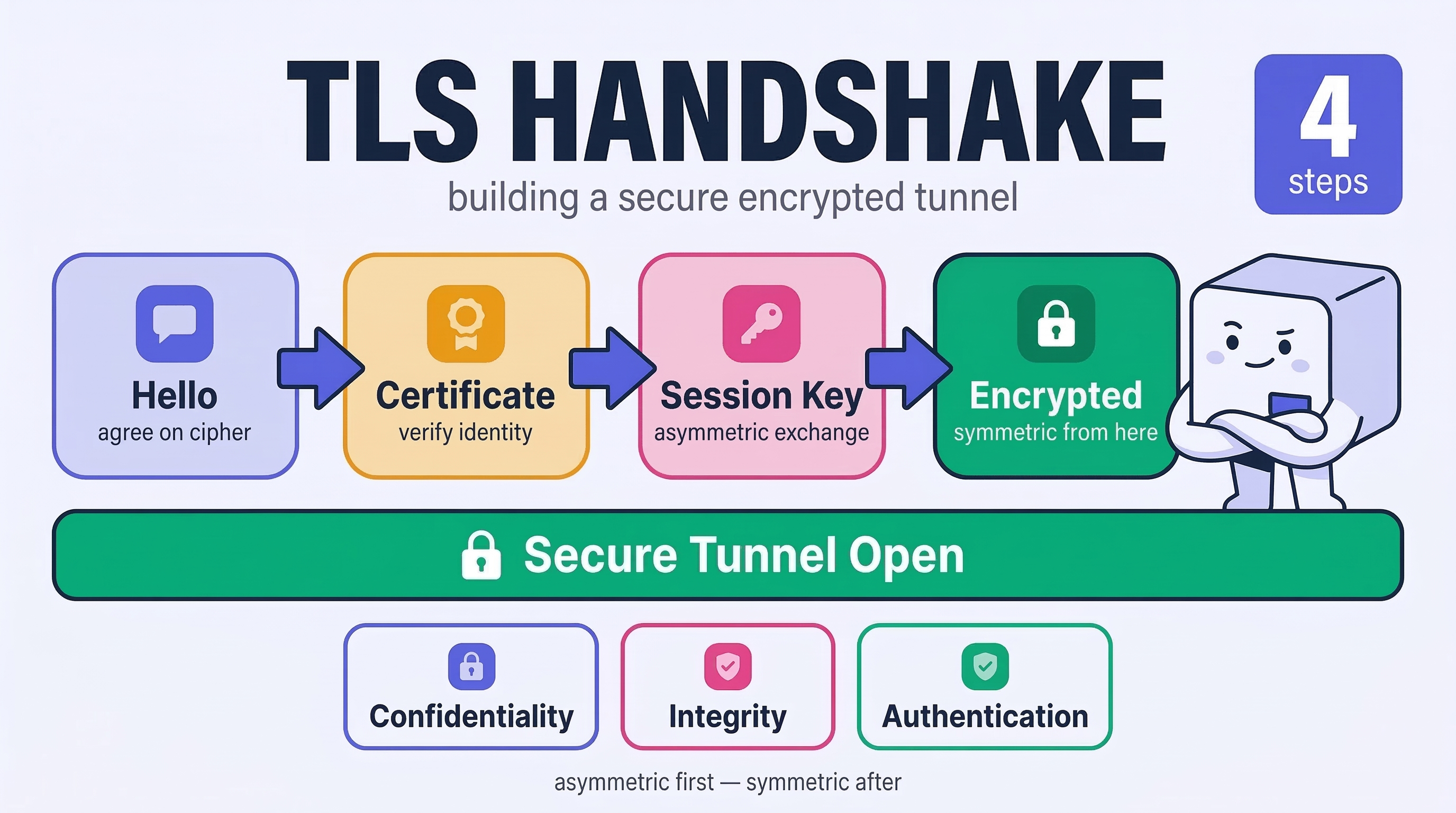
With TCP open, it's time to build a secure tunnel. Transport Layer Security (TLS) turns plain HTTP into encrypted HTTPS, ensuring three guarantees:
- Confidentiality — nobody can read your data in transit
- Integrity — data can't be tampered with
- Authentication — you're talking to the real server
How the TLS handshake works:
- Client and server exchange "hello" messages and agree on a cipher suite
- Server presents a digital certificate signed by a trusted Certificate Authority (CA)
- They use asymmetric encryption to securely exchange a session key
- All further communication switches to faster symmetric encryption
 Click to expand
5. HTTP Request
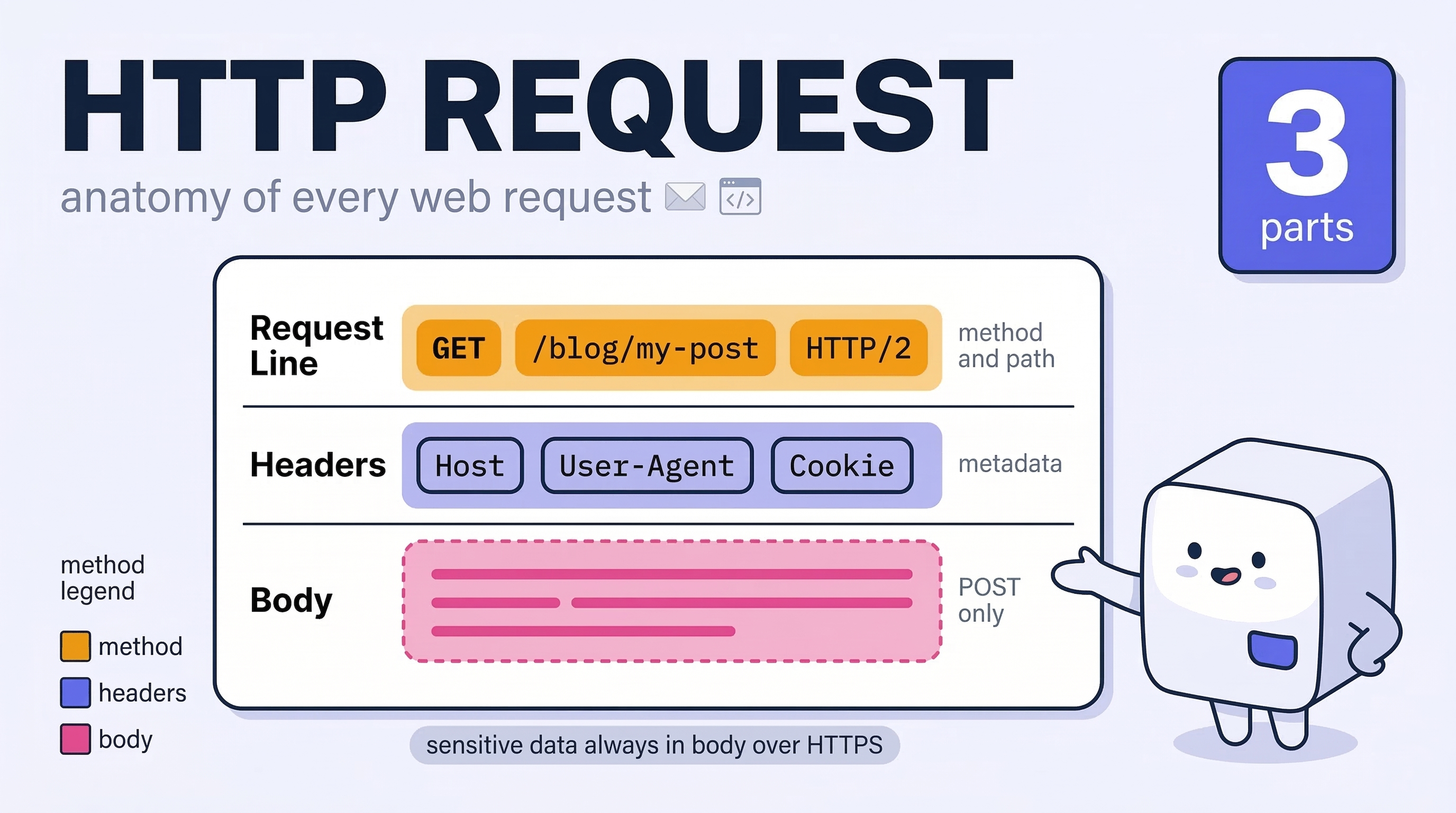
Now, safely inside an encrypted envelope, your browser sends an HTTP request. It contains three parts:
GET /blog/my-post HTTP/2
Host: example.com
User-Agent: Mozilla/5.0
Accept: text/html
Cookie: session=abc123- Request Line — method (
GET,POST), file path, HTTP version - Headers — metadata like browser type, accepted formats, cookies
- Body — only present for
POSTrequests (e.g. form submissions)
 Click to expand
6. Server Processing
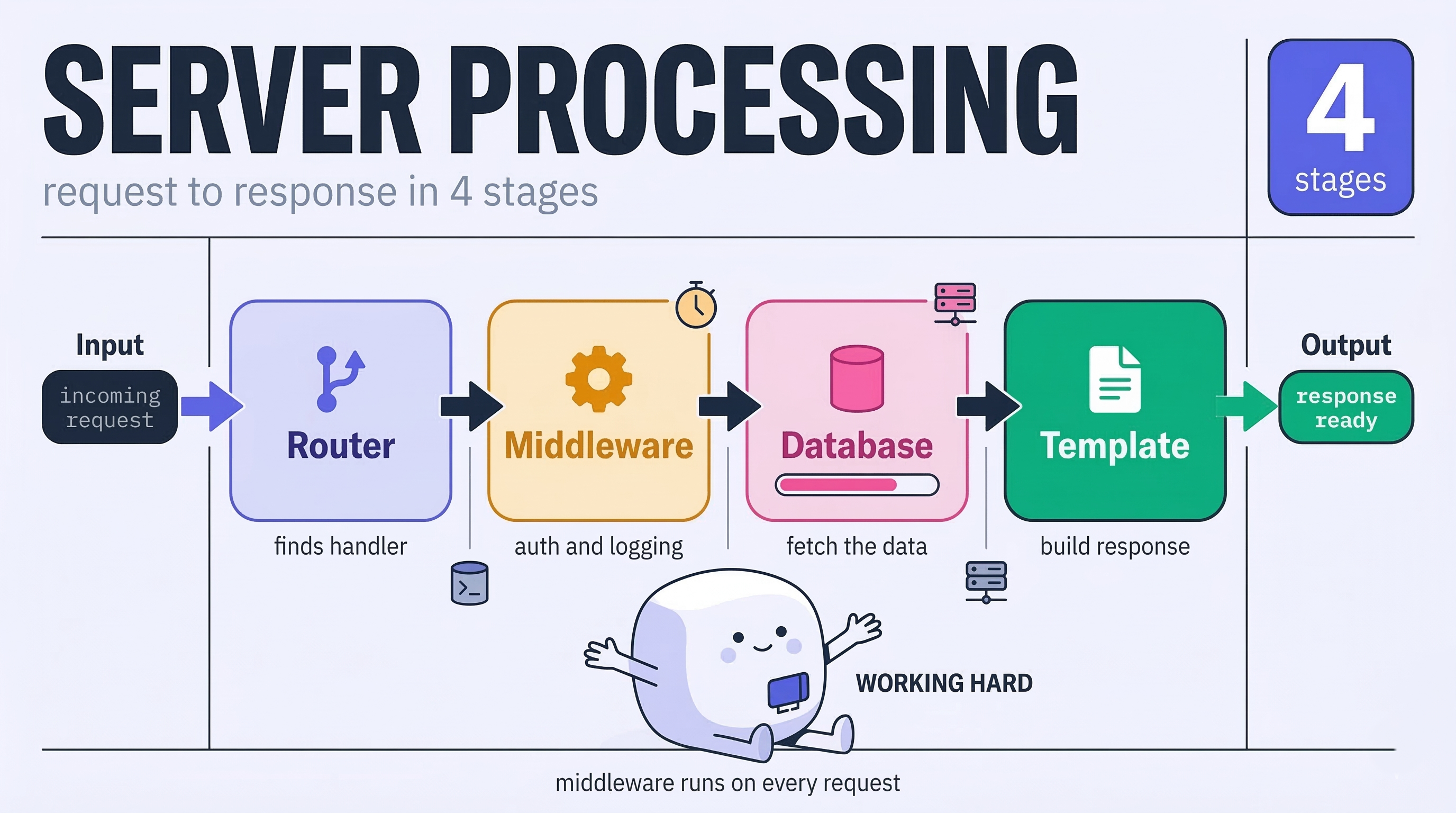
The server receives your request and decides how to respond. For dynamic pages (like a social feed or dashboard), it:
- Uses routing to direct the request to the right handler
- Passes through middleware for auth, logging, or rate limiting
- Executes database queries to fetch your specific data
- Combines data with HTML templates to build the final response
 Click to expand
7. HTTP Response
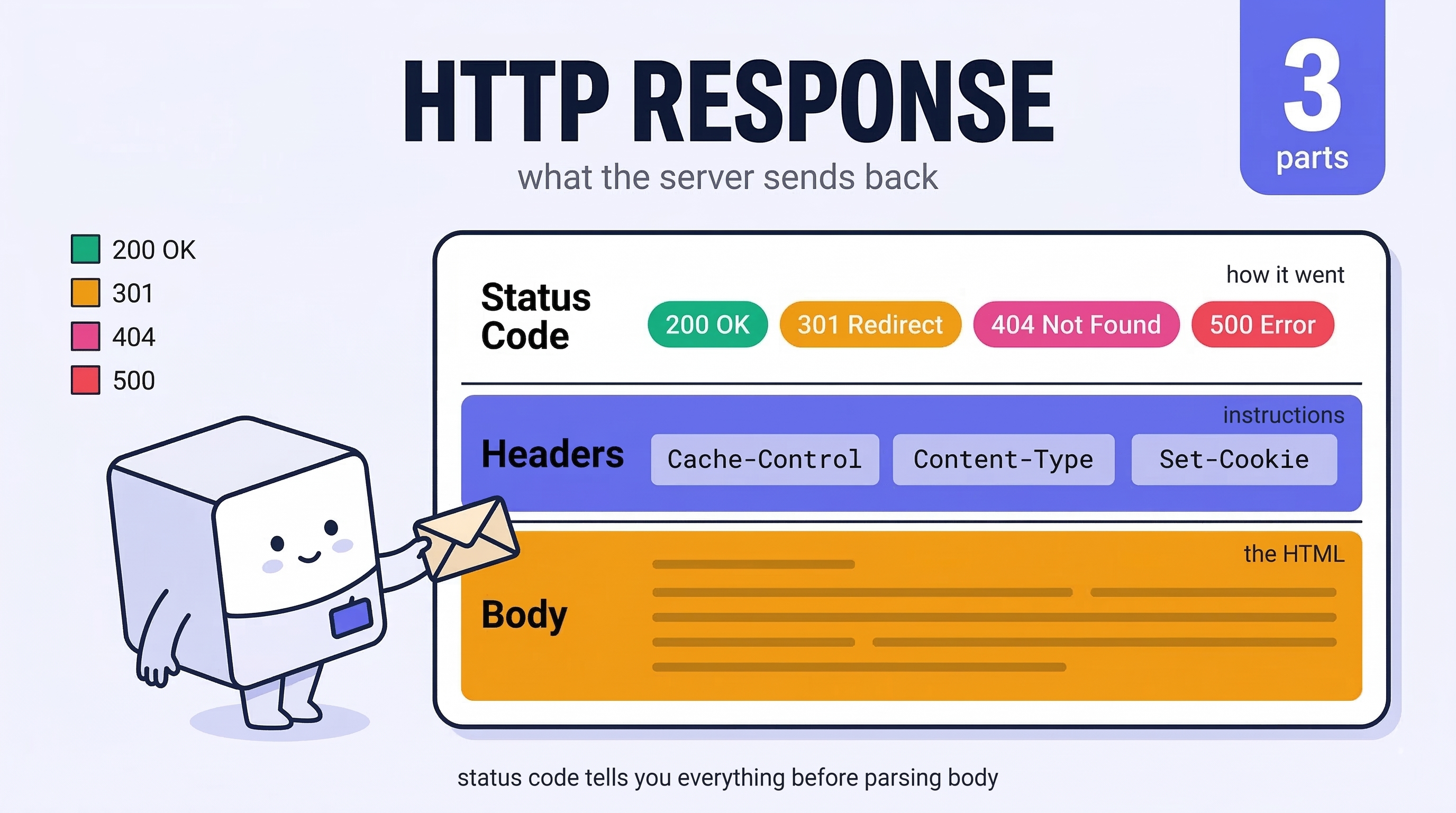
The server replies with an HTTP response containing everything your browser needs:
- Status Code —
200 OK,301 Redirect,404 Not Found,500 Server Error - Response Headers — instructions like
Cache-Control,Content-Type,Set-Cookie - Body — the actual HTML payload
 Click to expand
8. Browser Rendering
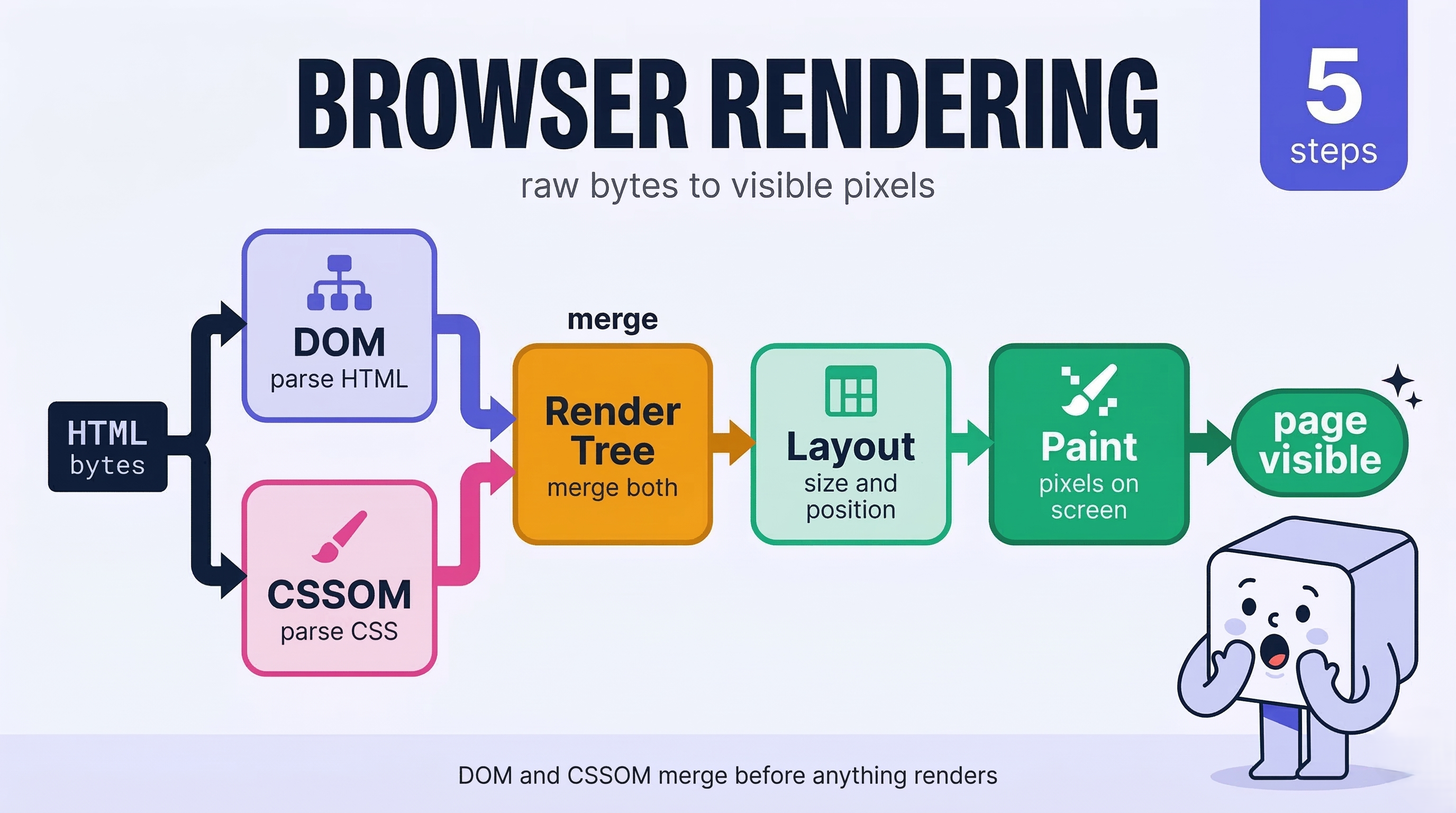
Your browser has the HTML — now it turns raw bytes into pixels. This is the Critical Rendering Path:
HTML → DOM
CSS  → CSSOM
        ↓
    Render Tree
        ↓
      Layout
        ↓
Paint & Composite- Parsing — HTML is parsed into the DOM tree; CSS into the CSSOM tree
- Render Tree — DOM + CSSOM merge into a tree of visible elements with computed styles
- Layout — The browser calculates the exact size and position of every element
- Paint — Colors, text, borders, and shadows are filled in
- Composite — Layers are combined using the GPU for smooth scrolling and animations
 Click to expand
Bonus: Caching, CDNs & Optimizations
Modern infrastructure makes this entire process feel instant:
| Optimization | What It Does |
|---|---|
| CDNs | Cache content on globally distributed servers, reducing travel distance |
| Preload Scanner | Peeks ahead in HTML to start downloading CSS, JS, and fonts early |
| HTTP/2 | Multiplexes multiple requests over a single TCP connection |
| HTTP/3 | Runs over UDP (QUIC), reducing handshake overhead even further |
| Browser Cache | Skips network requests for previously visited assets |
Key Takeaways
- DNS translates human-readable domains into machine-readable IP addresses
- TCP ensures your connection is reliable and packets arrive in order
- TLS encrypts everything so no one can snoop on your data
- HTTP defines the request/response rules between browser and server
- Rendering is a multi-step pipeline: DOM → Layout → Paint → Composite
- CDNs, caching, and HTTP/3 make this entire chain happen in milliseconds
Understanding what happens under the hood isn't just trivia — it's the foundation for writing faster, more secure, and more resilient web applications.
Continue Reading
How JavaScript Actually Works: Demystifying the Call Stack and Event Loop
The engine, the call stack, the heap, the event loop, closures, prototypes, and this — what's actually happening when your code runs.
How Git Actually Works Under the Hood
Git doesn't store diffs — it stores snapshots. Understanding the object model, the DAG, and how branches are just text files.