The Ghost in the Shell
You hit "Tab", a massive block of gray text turns into colorful syntax, and your complex feature is suddenly finished. Tools like GitHub Copilot and Cursor feel like absolute magic when you are staring down a tight deadline. But the quiet anxiety creeping into the back of your mind is completely justified. You just shipped a hundred lines of logic that you didn't actually write, and deep down, you know you don't fully understand how it works.
The Atrophy of Understanding
When AI coding tools first arrived, the primary fear was that they would flood our codebases with insecure, hallucinated bugs. Honestly, that isn't the real problem anymore. The models are getting incredibly good at writing functional, mathematically correct code. The actual threat is happening entirely inside your own head.
If you rely on a tool to solve a problem for you, your brain never goes through the friction of building a mental model.
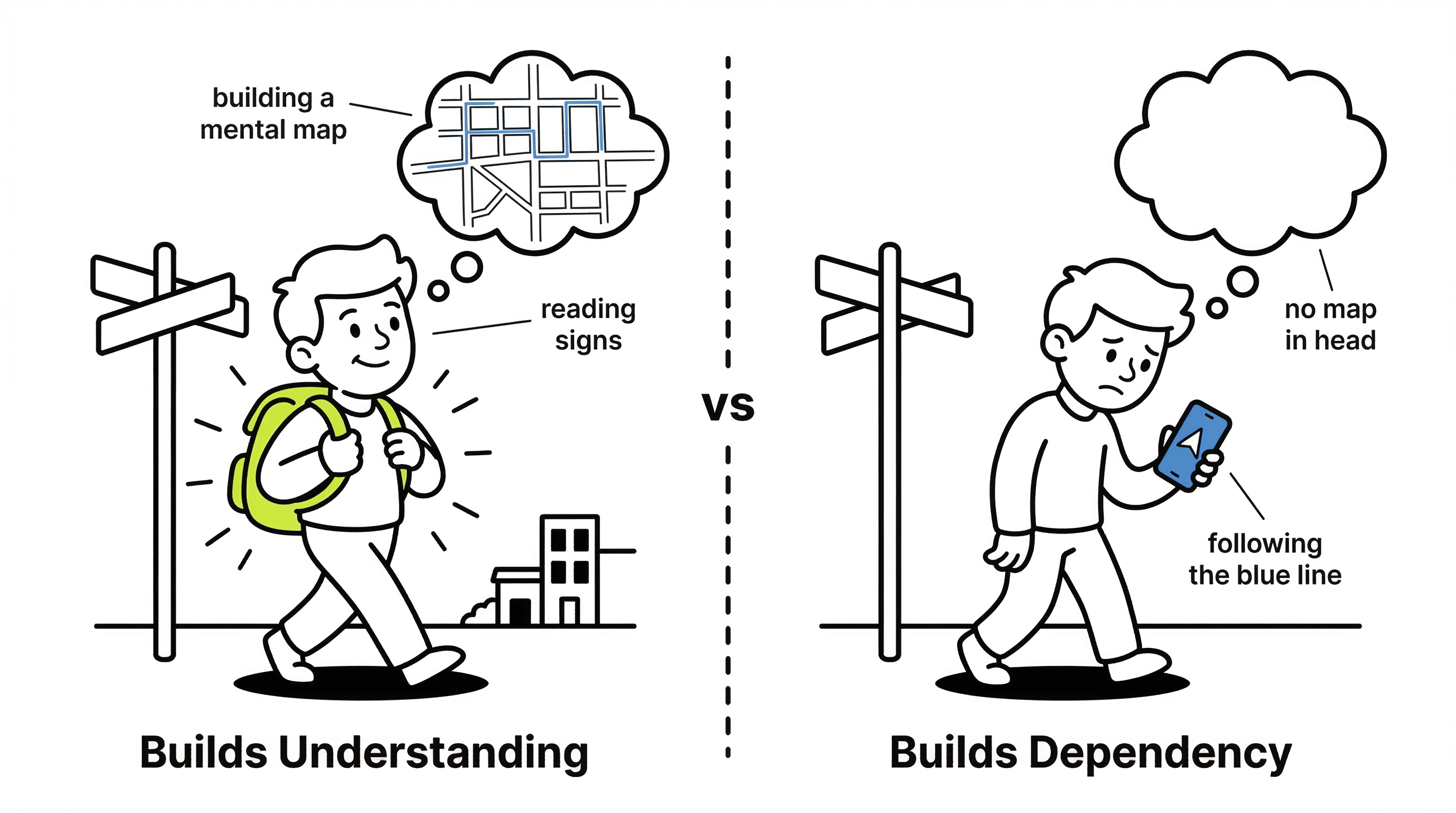
Think about GPS navigation. If you drive a new route by looking at street signs and landmarks, you build a map in your head. If you just follow the glowing blue line on your phone for a year, you will still get lost the second your battery dies. Your spatial awareness has completely atrophied.
 Click to expand
The exact same thing happens with software architecture. Imagine you need to write a complex PostgreSQL query using a window function to rank user transactions. If you wrestle with the SQL syntax yourself, you intuitively learn how the database partitions and sorts memory. If you just prompt the AI and accept the output because "it returns the right rows", you learned nothing. Six months later, when that query brings the production database to a crawl, you will have no foundational knowledge to debug it.
Helping You Think vs. Thinking For You
We have always used abstractions to write code faster. A compiler is a tool that takes away the burden of managing CPU registers so you can focus on higher-level logic. A linter catches your missing brackets so you can focus on control flow. These tools augment your thinking.
There is a massive difference between a tool that handles your mechanical typing and a tool that does your system design.
When you ask an AI to "build a user authentication system," it is thinking for you. It decides the file structure, the database schema, and the security tradeoffs. It hands you a finished product. If you hand over the blank canvas problem to the machine, you lose the ability to design system boundaries. You end up with a Frankenstein architecture glued together by prompts, completely devoid of a cohesive vision.
Context Blindness
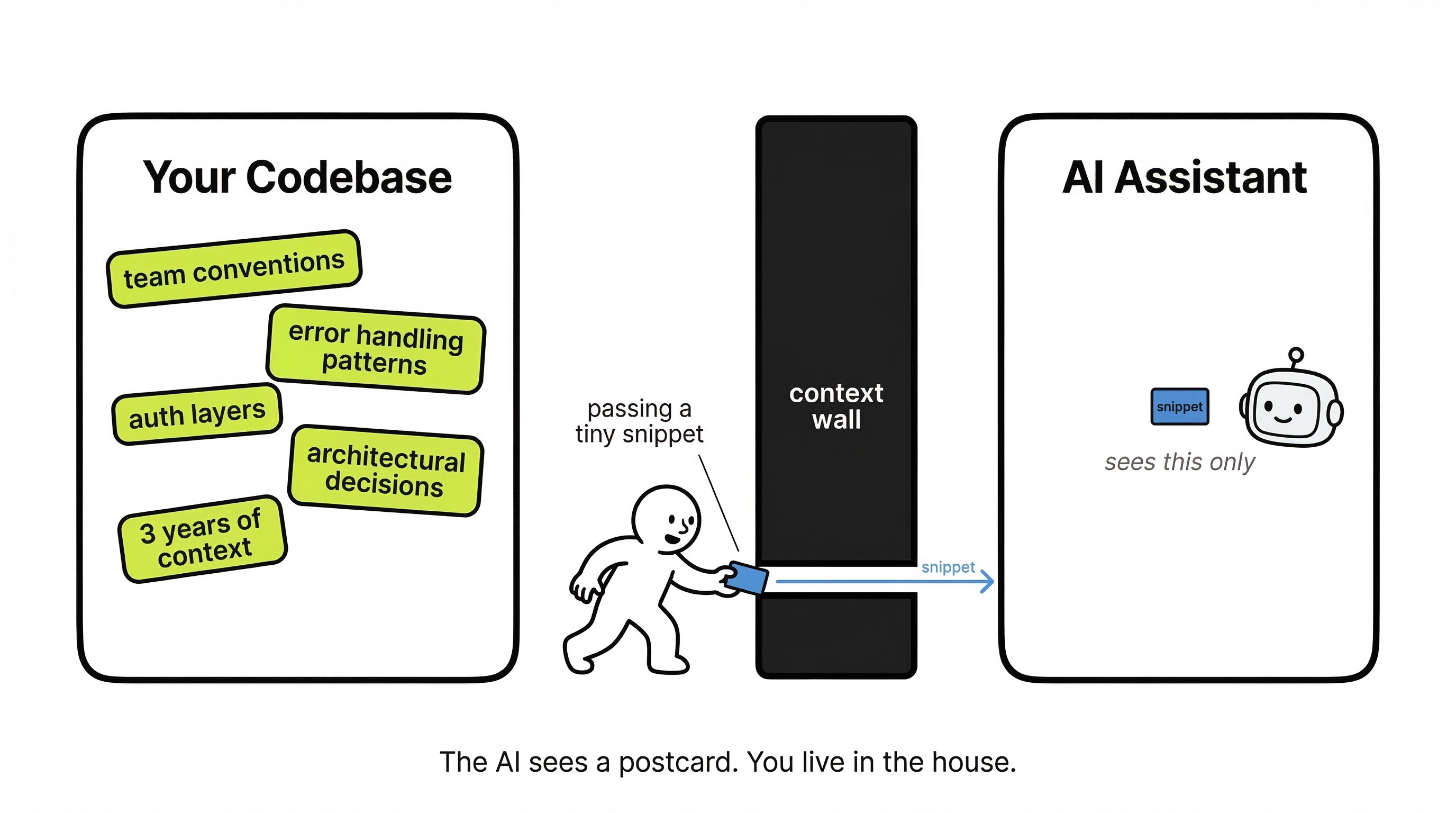
This Frankenstein architecture happens because an AI assistant operates with absolute context blindness. It has no idea about your broader codebase, your team conventions, or the architectural decisions you made three years ago unless you explicitly tell it.
It will happily generate code that works perfectly in isolation but completely contradicts the patterns the rest of your team follows.
 Click to expand
For example, your team might have a strict pattern of catching exceptions at the controller level and passing them through a centralized error-formatting service. You ask the AI to write a new data fetching utility, and it wraps everything in a generic try/catch block that silently logs the error to the console and swallows it.
The fix is proactive context sharing. Before asking an AI to generate a new feature, you have to explicitly define your team's conventions or paste in your existing patterns as context.
The Copy-Paste Problem
Even with context, developers routinely fall into the trap of accepting AI output without reading it fully simply because it "looks right." This copy-paste mentality is how devastating security vulnerabilities get shipped.
An AI has zero concept of your specific threat model. It doesn't know what data is sensitive in your system, and it has no context about your authorization layers.
Imagine asking an AI to generate an endpoint to fetch user profiles. It will happily spit out an Express route that queries the database and returns the JSON payload. It compiles perfectly. It works locally. But because the AI didn't know who is allowed to call it, it completely bypassed your role-based access control middleware, exposing every user's private email address to unauthenticated requests.
The fix is absolute paranoia. You must treat every single AI-generated line that touches authentication, database access, or external input as entirely untrusted until you have manually read and verified it yourself.
The Confidence Problem
Making this verification harder is the fact that an AI always sounds absolutely, flawlessly certain, even when it is completely hallucinating.
Unlike a human colleague who might say, "I think this is the right method, but we should double-check," an AI will present deprecated methods or entirely fabricated APIs with the exact same authoritative tone as correct code.
You might ask it to format a date, and it will confidently generate a call to a method like formatDateDistance(). The code looks highly plausible. It perfectly matches the library's naming conventions. It compiles fine in isolation. But if you actually try to run it, it crashes because that method simply does not exist in the library version you are using.
The fix here is tedious but mandatory: never trust an unfamiliar API method suggested by an AI without opening the actual documentation and verifying it exists.
Prompt Quality Determines Code Quality
Ultimately, a lot of these hallucinated APIs and messy architectures come down to user error. Most developers write lazy prompts and then complain about lazy output. The age-old programming rule of "garbage in, garbage out" still applies perfectly to language models.
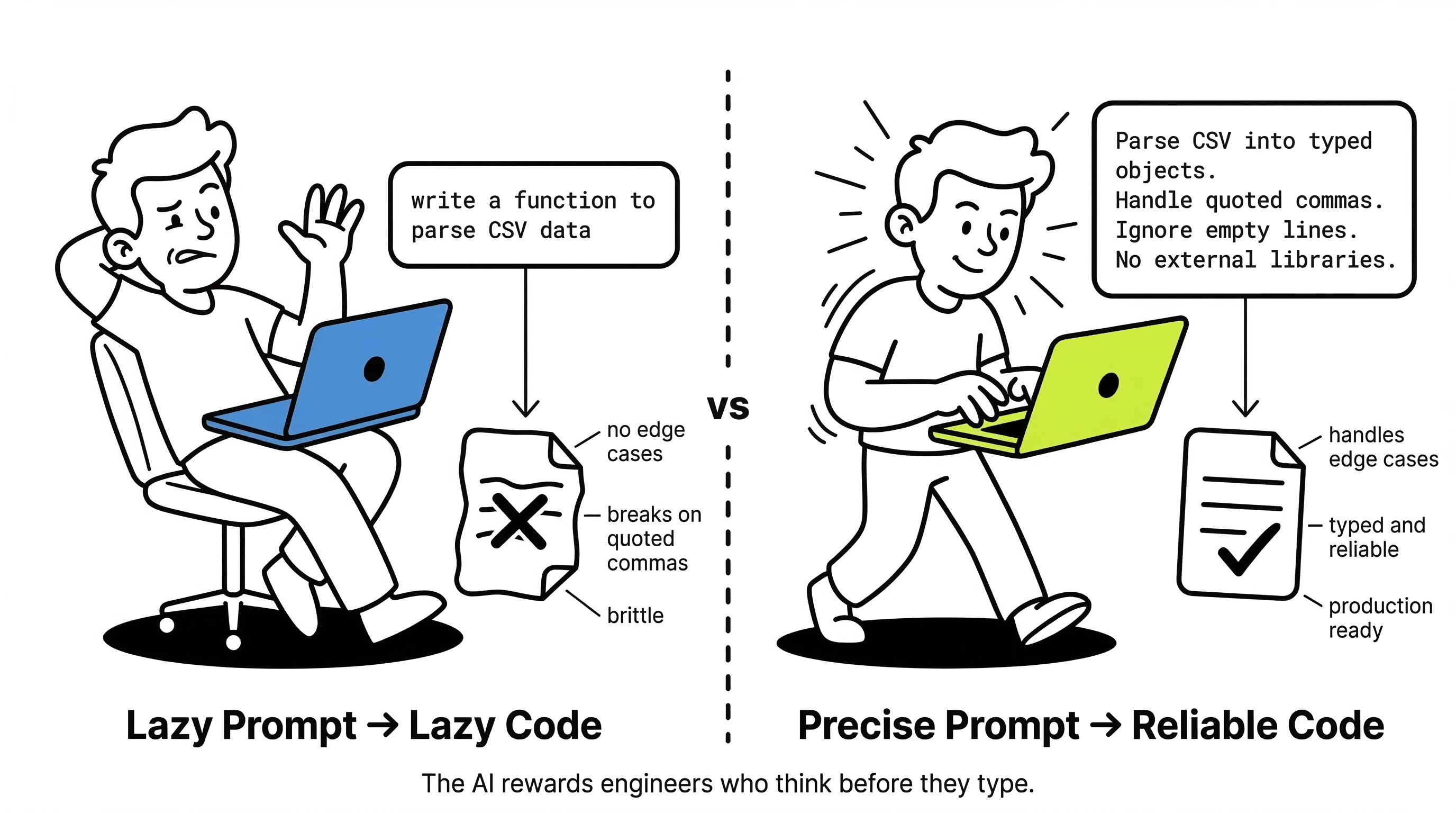
If you write a vague prompt like "write a function to parse CSV data," you are going to get a lazy, brittle string-splitting loop that explodes the second a CSV cell contains a comma inside quotes.
Compare that to a tight prompt: "Write a TypeScript function to parse a CSV string into an array of objects. Use standard CSV format handling for quoted commas. Ignore empty lines. Do not use external libraries." The difference in output quality is night and day.
 Click to expand
Using AI well is itself a strict engineering skill. Prompting effectively requires you to already understand the problem clearly enough to describe it precisely. Ironically, the AI actually rewards developers who sit back and think deeply about the problem before they ever touch the keyboard.
How to Keep Your Engineering Instincts
I am not telling you to uninstall Cursor or disable Copilot. Refusing to use AI in modern software engineering is essentially career suicide. You just need strict rules of engagement to protect your own expertise.
The golden rule is this: You write the boundaries; the AI fills in the boilerplate.
Never let an AI design your core domain interfaces. You should be the one defining exactly what data goes into a class and what comes out. Once you have hard-coded the architectural skeleton, you can let the assistant generate the tedious mapping logic inside those walls.
// YOU write the interface and define the system boundaries
interface PaymentGateway {
charge(amount: number, token: string): Promise<TransactionResult>;
refund(transactionId: string): Promise<void>;
}
class StripeAdapter implements PaymentGateway {
// LET the AI write the tedious HTTP requests and JSON parsing
// inside these methods, because the boundaries are already safe.
} Click to expand
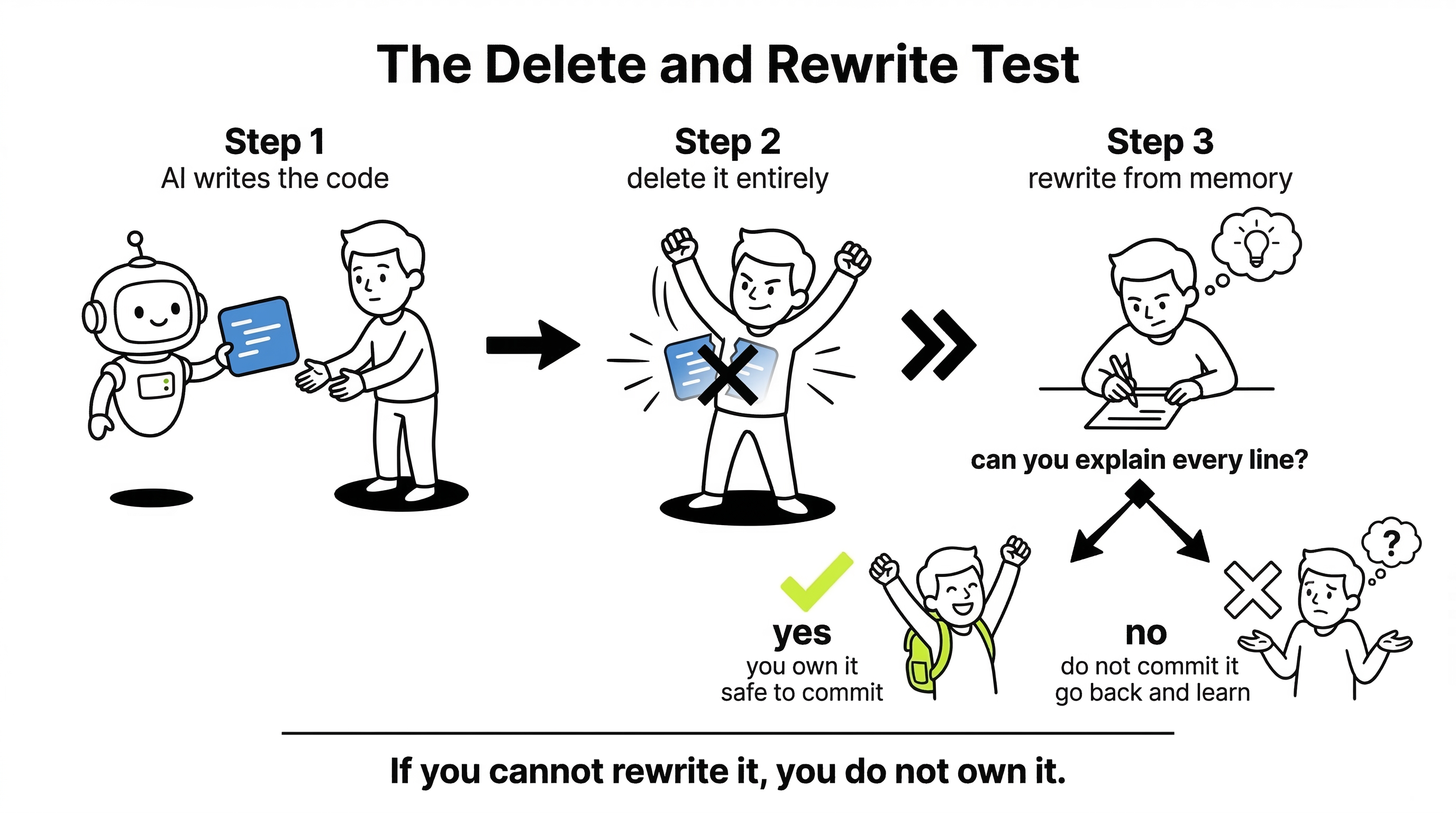
If you use AI to generate a complex algorithm, apply the "Delete and Rewrite" test. Read the generated code, delete it entirely, and try to write a rough version of it from memory. If you cannot explain the mechanics of the code back to yourself, you do not understand it well enough to commit it to your repository.
Quick Recap
AI coding assistants are phenomenal at removing the friction of syntax, but they cannot replace the structural map of the system in your head. The moment you stop wrestling with the "why" of your codebase, you stop being an engineer and become a mere reviewer of generated text. Treat your AI like a hyper-fast typist, never an architect. Maintain strict, human control over your interfaces, and you will keep your engineering instincts sharp while moving faster than ever before.